

If you run Proxmox VE without an active subscription, you’ll be familiar with the “No valid subscription” reminder that appears when you log into the web interface. I recently applied a small change to hide it on my Proxmox VE 9 installation. Here’s the method I tested, including how to […]
Technical
150 posts
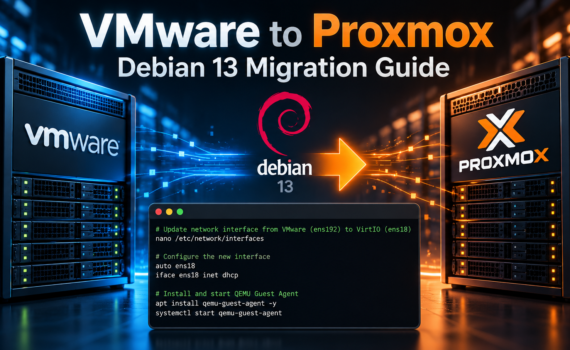
Migrating Debian 13 from VMware ESXi to Proxmox: Fixing Networking and Installing QEMU Guest Agent By William Rendell | 23 October 2026 As part of my ongoing migration from VMware ESXi to Proxmox VE, I’ve been moving several virtual machines across to our new Proxmox cluster. One of these was […]

My GivEnergy system does most of the work when it comes to storing solar energy and powering the house. But there are times when the house needs more power than the main battery system can deliver. Rather than leave my EcoFlow batteries working to a fixed discharge schedule, I use […]

If an iPhone won’t connect to MikroTik Wi-Fi, even though it can see the network and you’ve entered the password, this might help. I recently encountered exactly that problem on my home network and traced it to an unexpected CAPsMAN configuration setting. My setup uses a MikroTik RB5009 router with […]
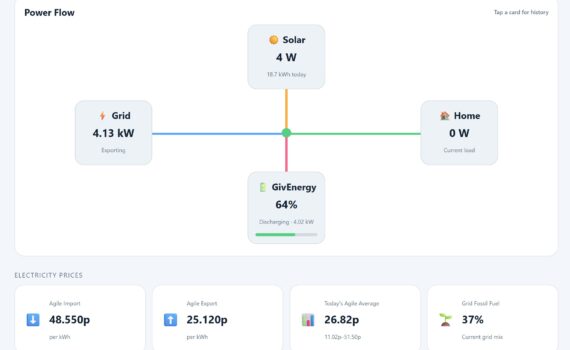
The Energy Stats page on this website provides a live view of how electricity is being generated, stored and used around my home. What began as a relatively conventional solar and battery installation has gradually developed into a much broader home energy project involving solar panels, a GivEnergy system, BLUETTI […]

The below command will list the domains in a postfix queue, with the numbers of mails for the domain.
That displays the queue summary and refreshes it every 30 seconds. Press Ctrl+C when you want to stop it.
sudo dnf update -y curl -o webmin-setup-repo.sh https://raw.githubusercontent.com/webmin/webmin/master/webmin-setup-repo.shsudo sh webmin-setup-repo.sh sudo dnf install webmin -y sudo systemctl enable webminsudo systemctl start webmin sudo systemctl status webmin sudo firewall-cmd –add-port=10000/tcp –permanentsudo firewall-cmd –reload https://SERVER-IP:10000
Step 1 – Install the QEMU Guest Agent inside Debian sudo apt updatesudo apt install qemu-guest-agent -y Step 2 – Enable and Start the Service sudo systemctl enable qemu-guest-agentsudo systemctl start qemu-guest-agent Check its running sudo systemctl status qemu-guest-agent Step 3 – Enable the Guest Agent in Proxmox Now switch […]
Set up a virtual IP on proxmox cluster apt updateapt install keepalived -y nano /etc/keepalived/keepalived.conf run this on all nodes on the master node add this to the keepalived.conf vrrp_instance VI_1 {state MASTERinterface vmbr0virtual_router_id 51priority 150advert_int 1 } on the slave nodes add this to keepalived.conf vrrp_instance VI_1 {state BACKUPinterface […]
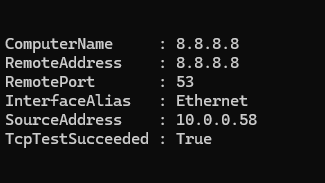
From a Windows powershell terminal in the above just change name/ip-here to the name or ip of what you are testing then change port-number-here to the port number you need to check. Test-NetConnection -ComputerName 8.8.8.8 -Port 53 The above example is checking if TCP/IP port 53 (DNS) is open on […]
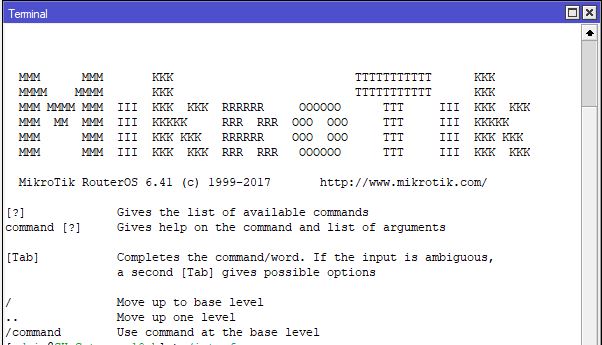
This is a simple and crude method to disable an interface based on the volume of data that has gone through it. In the below example we will be using the rx bytes on ether4 In the example above the above script is scheduled to run every 5 mins, if […]