

install “Microsoft Online Services Sign in Assistant for IT Professionals” Open Powershell (Admin) Enter the following commands… Install-Module MSOnline Install-Module AzureAD Import-Module AzureAD Connect-MsolService Get-msoluser (to test connection. Should list users) NOTE:- Disable the Microsoft ADSync service!! Enter the following commands… Set-MsolDirSyncEnabled –EnableDirSync $false get-msolcompanyinformation (to check if the sync […]
Computing
59 posts
To match a new AD user to an existing 365 user. match UPN and smtp Alias 2 install “Microsoft Online Services Sign in Assistant for IT Professionals 3 Open Powershell (Admin): Install-Module -Name AzureAD 4 connect to AD: Connect-MsolService 5 Return the immutable ID: Get-MsolUser -UserPrincipalName john@cesarhara.com | select ImmutableID […]


In an elevated CMD type Net stop bit Net stop wuauserv Net stop cryptsvc Rename systemroot\softwaredistribution to softwaredistribution.old And systemroot\system32\catroot2 to catroot2.old Then Net start bit Net start wuauserv Net start cryptsvc And restart pc
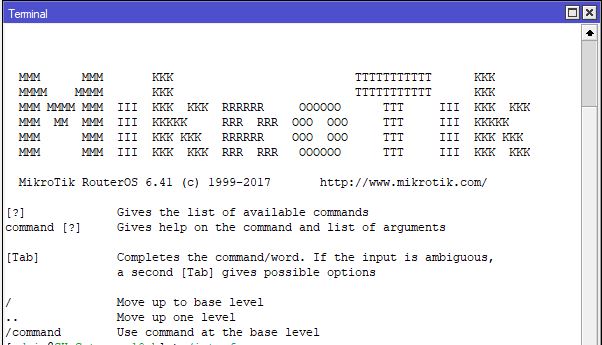
In a terminal windows or via ssh, enter the below line ip firewall export file=firewallrules then find a file called “firewallrules.rsc” in your files folder.
A few weeks ago at work, I was tasked with the project of decommissioning one of our older Windows Server 2008 machines and upgrading it to Windows 2012. I was initially a little worried, seeing as this server ran a lot of key roles, such as DHCP, DNS, was a […]
/ip firewall filter add chain=forward dst-address=”remoterange” src-address=”localrange” place-before=0 /ip firewall filter add chain=forward dst-address=”localrange” src-address=”remoterange” place-before=0
Add a new disk to the backup schedule by running the wbadmin command from an elevated command prompt. Run the following command from an elevated command prompt to determine the Disk Identifier of the new disk: wbadmin get disks Based on the output, locate the disk that will be added […]
In common situation, "system ip address" is the ETH0 address. So edit /etc/sysconfig/network-scripts/ifcfg-eth0 with your favourite text editor and run service network restart ps don't forget to change default gw also, it's located in /etc/sysconfig/network.
How to set the NTP client on a Mikrotik router using the Terminal /system ntp client set enabled=yes primary-ntp=###.###.###.### secondary-ntp=###.###.###.### Change the ### for IP address’s Once done use the below to check if the settings has been applied /system ntp client print Below are two IP addresess for NTP […]
This post shows how to find out what version of Centos you are running from the command line. tail /etc/redhat-release This will output the version in a simple format: Centos release 5.10 (Final)